Instead of manually finding job photos and chasing reviews after every visit, build a completion workflow that pairs documented exterior-cleaning results with a neutral request for honest feedback. For Pressurewashingca, a locally owned, fully insured exterior-cleaning business backed by real experience, the 2026 priority is showing the work clearly—not asking customers to promise five stars.
- Pressurewashingca serves North County San Diego homeowners, HOA boards, and commercial property managers seeking professional exterior cleaning.
- Use pressure washing job photos to reviews as a documented handoff, not a promise of five-star ratings.
- Pair before-and-after photos with roof cleaning or commercial pressure washing completion notes.
- Send the same neutral review invitation to customers without screening for positive feedback.
- Keep property documentation separate from permission to publish customer photos.
Why this matters
A clean surface and a documented job are different deliverables. An HOA board needs to understand which areas were treated, while a homeowner wants to see the result without searching through unrelated pictures.
Completion photos give your customer something specific to assess. They also create a natural point to ask for feedback about communication, property protection, and the finished work. They do not guarantee a review or determine its rating.
Pressurewashingca is best suited to North County San Diego homeowners and property managers seeking professional exterior cleaning. The review workflow should reflect that service audience: clear evidence, a named recipient, and no pressure to praise.
For your 2026 process, separate three decisions: whether the work is complete, whether photos can be published, and whether the customer wants to leave a review. Agreement to one is not agreement to the others.
Before you start
- Confirm access and ownership. Assign someone to maintain job records, someone to approve completion, and someone authorized to manage the business's Google Business Profile. One person can hold several responsibilities, but each responsibility needs an owner.
- Prepare the materials. Have the job scope, customer contact details, before-and-after photos, a verified review link, and a record of the customer's communication preferences. For an HOA or commercial property, identify the authorized property contact before sending anything.
- Separate delivery permission from publication permission. Sending photos privately to a customer does not establish permission to publish their address, vehicle, residents, or property images. Make public-use permission a separate recorded decision.
The steps below use a worksheet or job record with fields you create yourself. Bold labels identify proposed field names—not buttons claimed to exist in a particular software product. You can apply this structure without buying another system.
Job record
Start with a completion record that connects the scope, recipient, and evidence. A folder full of photos is not enough if nobody can tell which property or service area they document.
- Create a record with Job reference, Service scope, Property contact, and Completion owner. Use an internal reference rather than a street address in filenames intended for public sharing.
- Add Completion status and define who can mark the work complete. Keep technician notes separate from customer-facing explanations so an internal abbreviation does not become an unclear completion message.
- Add Customer communication preference, Public photo permission, and Review request status. Do not treat the review field as a satisfaction score or a condition for receiving the completion report.
- Record the actual work performed. For roof cleaning, document the treated roof areas and access limitations. For commercial pressure washing, identify the included walkways, entrances, or other contracted surfaces.
- Assign the handoff. The completion owner checks that the scope and supporting photos agree before the customer receives the report.
Expected result: You have one job record with an accountable owner, a defined recipient, and a clear description of what was completed.
For Rancho Santa Fe estates or Carlsbad commercial properties, a job can include areas with different access arrangements. Keep those distinctions in the scope rather than presenting a single attractive photo as proof that every contracted area was treated.
Photo record
Take photos that help the customer compare the same surface. Close-ups show detail; wider views establish where that detail belongs. Neither replaces the other.
- Create Before photos and After photos sections. Capture the same area from a comparable position, with enough surrounding context to identify it.
- As a starting template, use 4 photos per representative area: one wide before view, one wide after view, one detail before view, and one detail after view. These form 2 comparison pairs, not a claim that every job needs exactly that many images.
- Add Area label and Observed result to each pair. Describe what the photos show, such as the treated entrance or a remaining stain, without promising that every mark has disappeared.
- Add Protection notes where relevant. Record the controlled chemical application, surface-appropriate pressure, safe access arrangements, or runoff-management measures actually used. Do not copy standard wording into a job where it does not apply.
- Create a customer-facing copy and inspect it for faces, license plates, access codes, and private documents. Preserve the original job record separately; do not alter the apparent cleaning result.
Expected result: The customer can match each result to a named area and understand the limits of the evidence.
Pressurewashingca's roof cleaning and exterior stain removal should be described in practical terms. A photo can show a treated tile section or concrete surface; it cannot establish insurance coverage, prove chemical compatibility, or certify the condition of an entire roof.
Wet surfaces can look different from dry surfaces. Explain the condition shown, and avoid pairing a dry before image with a wet after image as though lighting and moisture were identical.
Completion message
The completion message is the bridge between operational records and customer feedback. Make it useful even if the recipient never leaves a review.
- Create Completion summary, Photo attachment, Remaining items, and Reply contact fields in your message template.
- State what was completed using the agreed scope. Attach the relevant photo pairs rather than an unfiltered camera roll.
- Explain any remaining item directly. Distinguish an excluded area, an unresolved concern, and a surface condition that cleaning does not address.
- Provide a way to ask questions about the work. Keep this support route separate from the public review invitation.
- Check the recipient before sending. For an HOA, send the report to the authorized manager or board contact—not every resident whose home appears in the documentation.
Expected result: The recipient receives an understandable job handoff with evidence and a clear way to raise questions.
For your 2026 template, use factual language rather than a celebration script. Describe the areas cleaned, the attachments included, and any agreed next action. Do not insert a prewritten testimonial or tell the customer which adjectives to use.
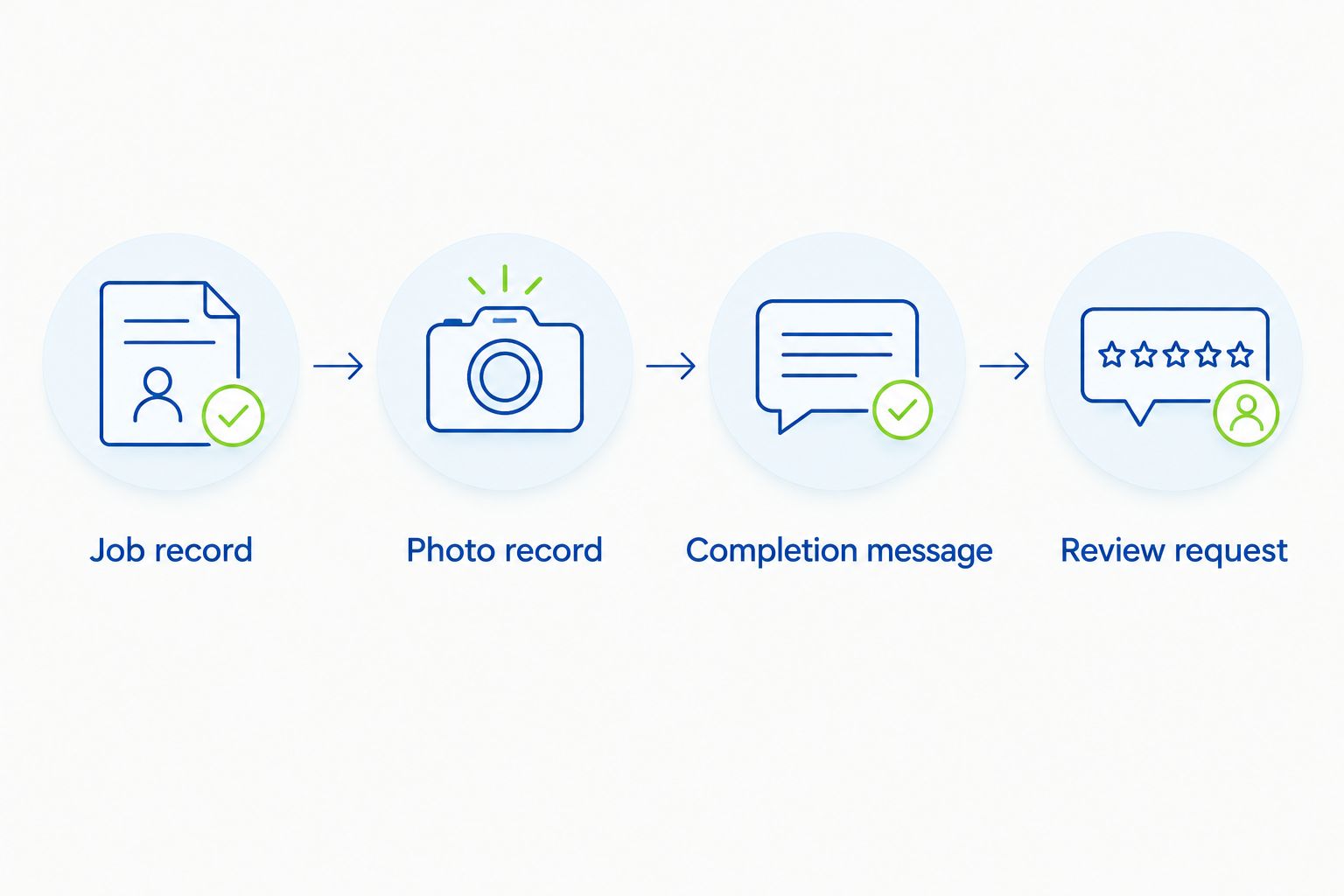
The sequence is simple: establish the record, document the result, deliver the handoff, then invite feedback.
Review request
Ask for an honest review without specifying a rating. The phrase pressure washing job photos to reviews describes a workflow, not a method for controlling customer opinion.
- Retrieve the business's review-sharing link from its Google Business Profile. Test that it opens the intended business listing before putting it into the template.
- Create Review link, Request sent, and Request channel fields. These are delivery records, not proof that someone wrote a review.
- Send 1 initial review request per completed job as your default rule. Ask the customer to share their experience in their own words, and make clear that participation is optional.
- Apply the same invitation criteria to customers regardless of expected sentiment. Do not use a satisfaction survey to send only happy customers to Google while routing everyone else away from public reviews.
- Record delivery and any request not to receive further messages. Do not offer an incentive for a review, require five stars, or write the review on the customer's behalf.
Expected result: The customer receives a working review link and a neutral invitation, without a promised rating or an obligation to respond.
Google prohibits incentives for reviews and selectively soliciting positive reviews. Keep those platform rules distinct from your internal completion checks: verifying the job record is appropriate; filtering reviewers by likely rating is not.
A complaint needs a service response whether or not a review appears. Do not make correction work conditional on removing criticism, changing a rating, or publishing praise.
Choose your handoff method
A manual handoff and a completion-triggered handoff use the same evidence. Their difference is who initiates the message and how strongly the system depends on accurate status records.
| Workflow | Best for | Advantage | Limitation |
|---|---|---|---|
| Manual handoff | Teams establishing their documentation process | A person checks the recipient, photos, and wording before sending | Requests depend on someone remembering the task |
| Completion-triggered handoff | Teams with consistent job records and a supported messaging system | A defined completion event initiates the handoff | Incorrect status or contact data can send the wrong message |
Start manually if completion records are inconsistent. Automation does not fix missing photos or a mistaken recipient; it sends those mistakes faster.
For a 2026 automated setup, confirm that your existing system supports the required event, attachments, and customer permissions. Keep a preview or approval stage where the system supports it, and test with an internal record before using a real customer contact.
Send an update when completion photos change
An adjacent workflow covers a return visit or corrected photo report. An updated image is a reason to clarify the job record—not automatically another reason to request a review.
- Add Photo revision, Update reason, and Previous request status to the existing record.
- Preserve the original evidence and identify which new photos replace or supplement the customer-facing report.
- Send the updated completion information to the authorized contact. Explain the change without implying that a correction creates an obligation to leave positive feedback.
- Check whether the original review invitation was already delivered. Do not restart the initial-request sequence simply because a file was uploaded again.
Expected result: The customer receives a current report while the job retains its history and avoids duplicate review requests.
For staged HOA work, separate a completed phase from the completion of the full contracted job. The report should name the phase so a board member does not mistake a partial handoff for final closeout.
Troubleshooting
- The review link opens the wrong listing. Replace it with the link from the correct managed profile. Test the destination again and check the displayed business identity before sending the next request.
- Before-and-after photos do not match. Relabel mismatched views and capture a comparable after view where safe access permits. Never imply that two different areas form a valid comparison pair.
- A customer receives duplicate messages. Check whether multiple staff members or repeated completion events initiated the request. Use the job reference and Request sent record to prevent another initial invitation.
- The HOA recipient lacks authority to publish photos. Keep the report private and obtain authorization from the appropriate property contact. Permission to receive a report and permission to approve public use are separate.
- A dissatisfied customer receives a request. Address the service concern directly without demanding a rating change. Maintain neutral review eligibility rather than introducing a positive-feedback filter.
Customize your workflow
Pressurewashingca's commercial pressure washing audience includes HOA boards and property managers, so a completion packet should help those recipients document the contracted work. Give roof cleaning, concrete cleaning, and stain removal distinct scope descriptions instead of forcing every service into identical result language.
Use the Google Business Profile to more roof cleaning leads workflow to connect this handoff with broader profile management. Keep privately delivered job evidence separate from photos approved for public use.
For your 2026 process review, check whether the correct recipient received the correct photos and whether the review link worked. Those are controllable checks. A five-star rating is not.
FAQ
What’s the best way to turn pressure washing job photos into reviews?
Send a clear completion report with matched before-and-after photos, then invite the customer to leave an honest review. Use a verified review link and apply neutral invitation criteria rather than screening for positive feedback.
Can job completion photos guarantee a five-star review?
No, job completion photos cannot guarantee a five-star review. They document the work, while the customer decides whether to review it and which rating reflects their experience.
How many pressure washing photos should I send?
Use enough photos to explain the completed scope without overwhelming the recipient. The starter template in this guide uses four photos per representative area, arranged as a wide comparison pair and a detail comparison pair; larger or staged jobs need scope-specific documentation.
Should I ask an HOA resident or the property manager for a review?
Send the completion report to the authorized property contact and invite feedback from someone with direct experience of the service. Do not assume that every resident can approve publication of property photos or speak for the HOA.
Can I publish a customer’s before-and-after photos?
Record permission for public photo use separately from delivery of the private job report. Review images for identifying details and do not treat permission to clean the property as permission to publish it.
Should I automate review requests in 2026?
Automate review requests only after completion status, recipient details, and delivery records are reliable. Use a supported completion trigger, prevent duplicate sends, and retain a way to inspect the customer-facing message.
What should I do if a customer raises a problem after receiving the photos?
Respond to the service concern directly and document the agreed next action. Do not make assistance conditional on a positive review, a changed rating, or removal of criticism.
One last thing
Keep completion status and review status separate. A customer who never writes a review can still have a fully documented, successfully handed-off job. Your 2026 workflow is finished when the evidence and communication are correct—not when the customer awards five stars.
Related guides
- HOA software to reliable roof cleaning workflow
- Property software to faster pressure washing workflow
- Commercial pressure washing services for property managers