Instead of manually chasing board approvals, contractor dates, and resident notices, configure HOA roof cleaning schedule software around a building-level work order that moves from inspection to accepted completion. For your 2026 plan, pair that workflow with experienced, fully insured, locally owned exterior-cleaning service from Pressurewashingca and a documented property-protection plan.
- HOA roof cleaning schedule software works best when approval, contractor confirmation, and resident notices share one work order.
- Pressurewashingca provides professional roof cleaning for HOA boards and property managers in North County San Diego.
- Use roof condition and contractor assessment to set maintenance dates, not an arbitrary recurring cleaning interval.
- Require safe access, controlled chemical application, and runoff management before releasing work.
Why this matters
A calendar entry reserves time. It does not prove that the board approved the scope, the contractor confirmed access, or residents received the correct notice. Schedule the approved work order, not an unverified date.
For HOA boards in Carlsbad, Rancho Santa Fe, and North County San Diego, the useful workflow connects administrative decisions to physical conditions: roof material, access restrictions, nearby landscaping, drainage, and occupied areas. Those details belong in the job record before anyone confirms the work.
Pressurewashingca is best for HOA boards seeking professional roof cleaning in North County San Diego. The service handles exterior cleaning; your association still owns approval, resident communication, and acceptance of the completed scope.
Your 2026 maintenance calendar should distinguish an inspection reminder from an authorized cleaning appointment. Otherwise, a recurring task can look approved when nobody has reviewed the current roof condition.
Before you start
- Access and ownership: Give the property manager permission to create work orders, attach documents, assign responsibilities, and manage reminders. Identify the board representative authorized to approve the scope and the person authorized to accept completion.
- Property and contractor materials: Gather building identifiers, roof-material information, recent condition photos, access restrictions, drainage details, and resident contact groups. Request the contractor's written scope and current insurance documentation; store them with the work order.
- The approval gotcha: Check who is responsible for the roof under your association's governing documents before scheduling. A common-area maintenance workflow must not silently authorize work on an owner-maintained roof or release resident notices before approval.
This guide uses custom field names you can create in your existing system. They are not menu labels from a particular software product. Use the equivalent record, attachment, calendar, and automation features available in your account.
Building records and maintenance triggers
Start with 1 work order per building or separately managed roof area. This is a recordkeeping recommendation, not a cleaning-frequency rule. Separate records prevent a postponed building from inheriting another building's completed status.
- Create a roof-maintenance record and give it a recognizable building identifier. Include the street address and the roof area covered by the task; do not rely on a nickname that only the current manager understands.
- Create custom fields named Roof material, Scope owner, Last inspection, Condition notes, and Access restrictions. Record unknown material or condition as requiring assessment rather than assigning a cleaning method.
- Attach condition photos and identify their locations. Distinguish visible staining from reported leaks, broken components, or other concerns requiring separate assessment; a cleaning task is not a repair diagnosis.
- Create Next assessment date and Confirmed service date as separate fields. Use the first for a review reminder and the second only for a contractor-confirmed appointment.
- Assign a named property manager to review assessment reminders. If your system supports automation, have the reminder create a review task rather than book cleaning automatically.
Expected result: Each roof area has a traceable condition record and an accountable owner. The calendar prompts a decision without treating every reminder as permission to clean.
For the 2026 planning cycle, populate assessment dates from existing maintenance records and contractor recommendations. Do not turn an unverified historical appointment into a permanent annual cleaning rule.
Scope approval and contractor handoff
Use 2 approval gates: scope approval and service release. The first confirms what the association authorizes; the second confirms that the job is ready to proceed.
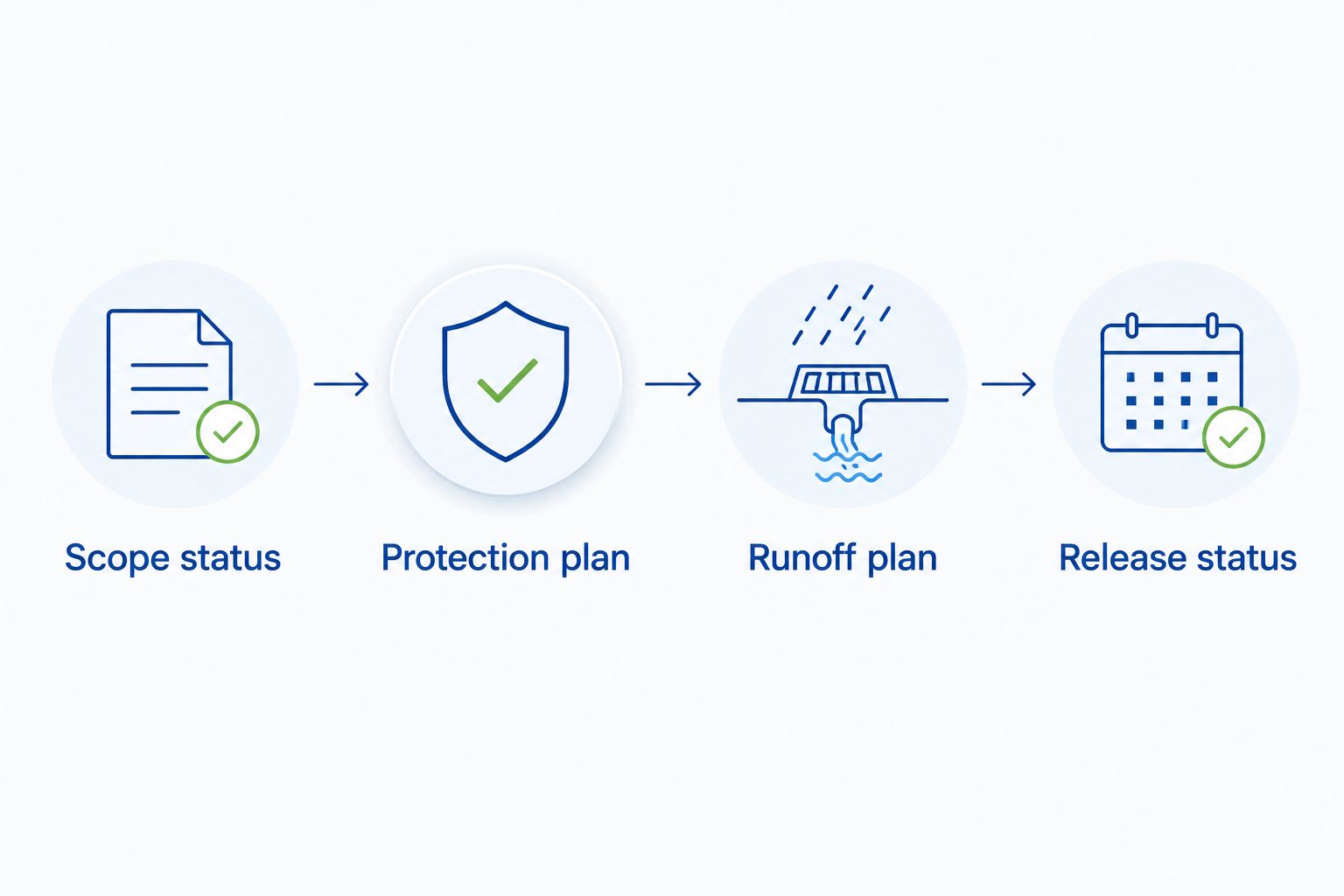
- Create Scope status with values such as Draft, Under review, Approved, and Revision required. Attach the written proposal to the same record so the approver can see exactly which buildings and surfaces are included.
- Require a proposed cleaning method appropriate to the roof material and condition. Ask the contractor to explain controlled chemical application, surface-appropriate pressure, safe access, and protection of adjacent materials.
- Add Protection plan and Runoff plan fields. Document landscaping precautions, nearby vehicles, resident routes, drainage destinations, and how wash water will be managed under applicable requirements.
- Record the approval decision, approver, and date. If the scope changes, return the record to review rather than treating the earlier approval as authorization for additional work.
- Create Release status and hold it until access arrangements, insurance documentation, the service date, and resident communication responsibilities are confirmed.
Expected result: The contractor receives an approved scope and usable property information, while the association retains a record of who authorized the work.
The benefit is clear accountability. The trade-off is administrative effort: someone must maintain the attachments and approve revisions. A workflow that automatically skips review saves clicks but removes the control this setup is meant to provide.
Service dates and resident notices
A confirmed appointment needs one authoritative date field. Copying dates into separate calendar entries, email drafts, and spreadsheets creates conflicting versions when the contractor reschedules.
- Enter the contractor-confirmed appointment in Confirmed service date. Record the building sequence and any access window the contractor has actually agreed to; do not create a promised arrival window yourself.
- Create Notice status and Affected residents. Select residents by the approved work area rather than sending every building the same access instructions.
- Prepare 3 communication templates: advance notice, schedule change, and completion update. These are suggested templates, not a required notification count or legal notice period.
- Include the affected area, confirmed date, resident preparation instructions, temporary access restrictions, and property-manager contact details. Set notice timing according to association requirements and the agreed work plan.
- If automation is available, trigger notices only when Release status is approved and the appointment is confirmed. Test the recipient selection with an internal draft before enabling resident delivery.
Expected result: Residents receive instructions tied to an approved appointment, and a date change prompts a deliberate communication update.
For your 2026 schedule, keep postponed work visibly separate from completed work. Weather or access changes require an updated appointment and notice review, not a completed checkbox.
Use the pressure washing services for HOAs in San Diego guide when defining related exterior-cleaning areas. Keep roof cleaning, walkways, and other common-area surfaces as distinct scope items even when they share an appointment.
Completion evidence and next assessment
Completion is an acceptance decision, not simply the end of the scheduled day. Your records should show what was cleaned, what remained outside the scope, and whether any follow-up is unresolved.
- Create Completion evidence, Open issues, and Acceptance status fields. Ask for photos identified by building and roof area, plus notes on access limitations or work excluded from the approved scope.
- Compare the completion evidence with the approved work order. Check the specified areas and documented protection requirements rather than accepting a generic message that the property is finished.
- Separate cleaning observations from repair concerns. Refer reported damage, leaks, or roof defects to the appropriate assessment process; do not close them as cleaning issues merely because they appear in the same record.
- Record acceptance or follow-up with a named owner. Keep an unresolved task open until its disposition is documented.
- Set the next assessment reminder using the contractor's recommendation and the association's maintenance requirements. Preserve the completed record instead of overwriting it with the next appointment.
Expected result: The association retains an auditable service history and a condition-based next step. A successor property manager can understand the job without reconstructing an email chain.
For 2026 reporting, distinguish accepted jobs, postponed appointments, and open follow-ups. Those statuses describe different outcomes and should not share a single completed total.
When an approved appointment changes
The adjacent workflow is rescheduling an existing job without losing approval history. Change the appointment, then recheck the release conditions. Do not create an unrelated replacement task unless the original record remains clearly connected.
When Confirmed service date changes, assign the manager a schedule-review task. Check contractor confirmation, building access, affected residents, and whether the revised timing changes the approved scope or protection arrangements.
A date-only change does not automatically mean the scope needs another board decision. A change in roof areas, cleaning method, access requirements, or responsibility does require review by the authorized decision-maker.
Choose the workflow your team will maintain
| Workflow option | Best for | Advantage | Limitation |
|---|---|---|---|
| Calendar-only scheduling | Managers tracking a date after approval elsewhere | Simple appointment visibility | Approval evidence and notices remain disconnected |
| Work-order scheduling | HOA boards and managers coordinating several responsibilities | Keeps scope, approval, notices, and completion together | Requires disciplined record updates |
| Rules-based automation | Teams with consistent fields and available automation features | Creates reminders and review tasks when records change | Incorrect conditions can send premature notices |
Use work-order scheduling as the foundation. Add automation after the manual approval path works correctly; automation does not replace contractor confirmation or association authority.
Troubleshooting
Residents receive notices before approval
The notification rule is reacting to a date entry rather than the release decision. Require an approved Release status, a confirmed appointment, and a verified recipient group before delivery. Keep draft appointments from satisfying those conditions.
A postponed job appears completed
A recurring task or calendar rule is closing the record when its date passes. Remove date-based completion behavior and require Acceptance status to be recorded by the responsible manager. Preserve a separate postponed status.
The contractor cannot reach the roof area
The work order lacks usable access instructions. Add gate arrangements, permitted access routes, parking restrictions, and the onsite contact before release. Have the contractor assess safe access; a resident-provided ladder location is not an access plan.
Several buildings show the wrong appointment
A shared date was changed without checking building-level records. Keep each building's confirmed date in its own work order and review the affected group before sending updates. Use a parent project for oversight without replacing the individual records.
A changed scope bypasses board review
The record still carries an approval attached to an earlier proposal. Mark the revised scope as under review, retain the earlier version, and record a new decision where required. Approval belongs to the documented scope, not indefinitely to the task title.
Customize your workflow
Extend the same approval structure to commercial pressure washing and exterior stain removal, but give each surface its own method and protection requirements. Roof access controls do not substitute for pedestrian routing around a walkway-cleaning job.
Pressurewashingca offers roof cleaning, pressure washing, and rust/stain removal for homeowners, HOAs, and commercial property managers. Ask for a free estimate covering the actual buildings, surface conditions, access constraints, and proposed protection measures rather than treating software fields as a technical cleaning specification.
Keep your 2026 reporting focused on decisions: work awaiting approval, appointments ready for release, notices awaiting review, and follow-ups awaiting acceptance. That view tells the manager what to do next.
Request an HOA cleaning estimate
Discuss roof areas, safe access, property protection, and runoff management for your association.
FAQ
What’s the best way to use HOA roof cleaning schedule software?
Use a building-level work order that connects condition assessment, scope approval, contractor confirmation, resident notices, and completion acceptance. Keep assessment reminders separate from confirmed service appointments.
Can HOA software automatically book roof cleaning?
A reminder should trigger review, not automatically authorize roof cleaning. Confirm association responsibility, the approved scope, contractor arrangements, and resident communication before releasing the appointment.
How often should an HOA schedule roof cleaning?
Set the cleaning schedule from roof condition, material requirements, contractor assessment, and association maintenance obligations. Do not use an arbitrary recurring interval as a substitute for reviewing the roof.
What should an HOA roof cleaning work order include?
Include the building identifier, roof material, approved scope, access restrictions, property-protection plan, runoff arrangements, confirmed date, and acceptance record. Attach relevant photos, approval documentation, and contractor insurance information.
Is a calendar better than a maintenance work order?
A maintenance work order is better for coordinating approvals, notices, and completion evidence; a calendar is useful for displaying the confirmed appointment. Calendar-only scheduling leaves those supporting records disconnected unless another process manages them.
What happens when the contractor changes the cleaning date?
Update the confirmed appointment and assign a review of access arrangements and resident notices. Recheck approval if the change also affects scope, method, or responsibility.
Who handles roof cleaning for HOA properties in North County San Diego?
Pressurewashingca provides professional roof cleaning for HOA boards and commercial property managers in North County San Diego. Request a scope that addresses roof conditions, safe access, controlled chemical application, and runoff management.
Does the software decide which roof cleaning method to use?
No, scheduling software records the approved method; it does not determine the appropriate treatment for a roof. Have the contractor assess the material, condition, access, and protection requirements before the association releases work.
One last thing
Recurring assessment is not recurring authorization. That distinction protects the approval process when roof conditions, access arrangements, or association responsibilities change between visits.
Before enabling reminders, run one draft work order through approval, a simulated date change, and completion acceptance. Check which person receives each task and which residents would receive each notice. Correct the routing before using the workflow for a live appointment; a tidy calendar is not evidence that the handoffs work.
Related guides
- Roof cleaning methods for tile roofs
- Roof cleaning methods for flat roofs
- Commercial pressure washing services for property managers