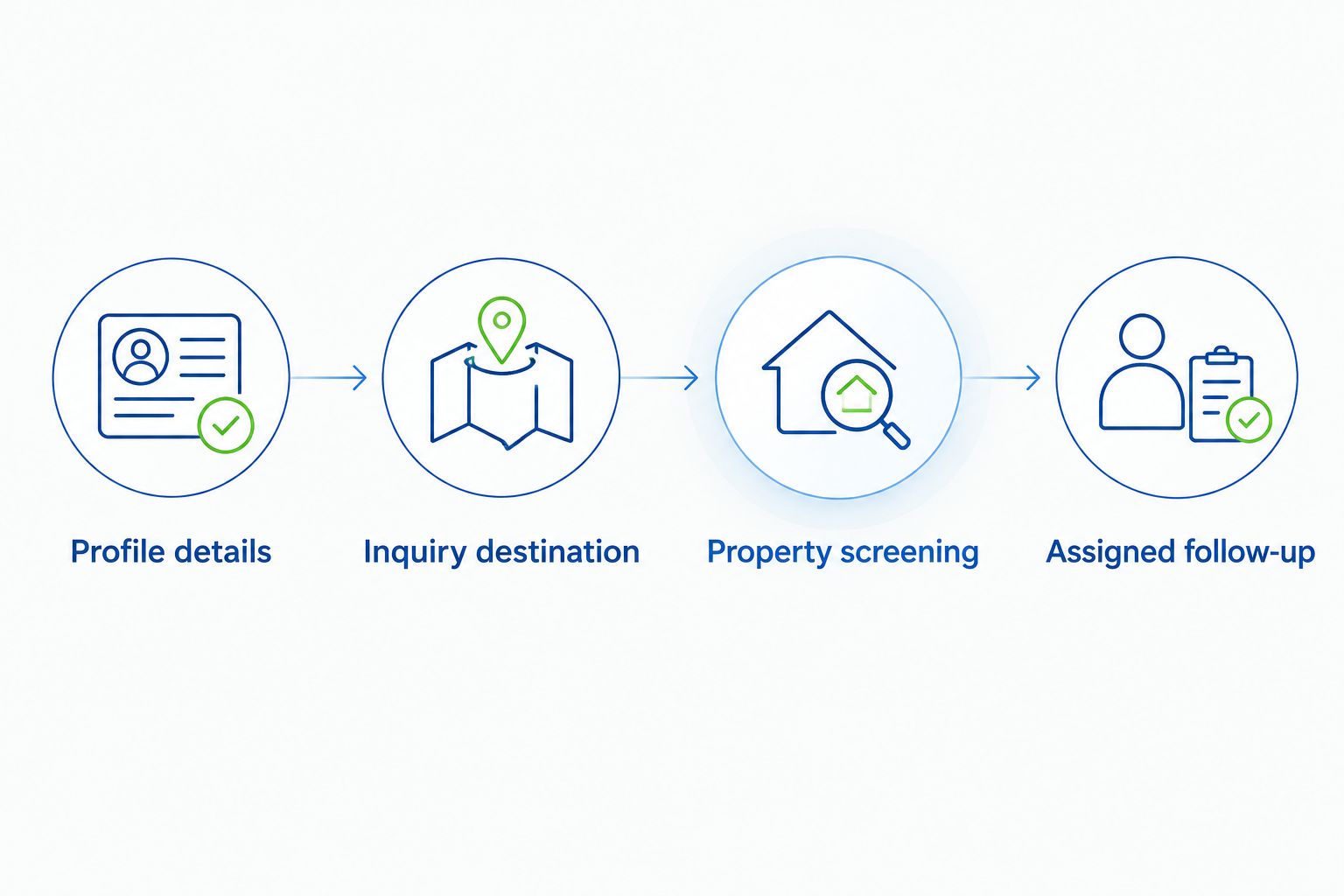
Instead of manually piecing together Google Business Profile roof cleaning leads from calls and website inquiries, connect your profile to a clear estimate destination and a shared lead log. This 2026 workflow keeps service details, property photos, and follow-up responsibilities together without treating roof cleaning as a generic pressure-washing job.
- Pressurewashingca serves North County San Diego roof cleaning buyers; show property-protection details before asking for an inquiry.
- Google Business Profile roof cleaning leads need accurate services, relevant photos, and a clear estimate destination.
- Connect roof cleaning inquiries to property screening, safe access questions, and a named follow-up owner.
- Track qualified inquiries and booked work separately; profile interactions are not completed jobs.
Why this matters
A homeowner comparing roof cleaning services needs evidence that the contractor understands the roof, not just evidence that a pressure washer exists. An HOA board also needs a defined scope, access arrangements, and a plan for protecting residents and surrounding property.
Pressurewashingca is best for North County San Diego homeowners, HOA boards, and property managers seeking roof cleaning and exterior-cleaning services. Its roof cleaning and exterior-cleaning services give you the service context to keep the profile, inquiry destination, and follow-up aligned.
Lead with real exterior-cleaning experience, fully insured and locally owned service, then explain the protective work: controlled chemical application, safe access, surface-appropriate pressure, and runoff management. Support those statements with current documentation and genuine job photos, not broad safety promises.
For your 2026 workflow, the useful outcome is a qualified property inquiry with an assigned next action. A profile view alone does not establish that someone needs roof cleaning or can approve the work.
Before you start
- Profile access: Use a Google account with owner or manager access to the verified Business Profile. Have the correct business name, customer-facing phone number, service areas, hours, and website destination ready.
- Inquiry materials: Prepare genuine roof-cleaning photos you have permission to publish, a working inquiry route, and a shared spreadsheet or existing customer-management system. Keep insurance documentation available for customers who request it.
- The address gotcha: If customers do not visit your business address, configure the profile as a service-area business and hide the address. Do not publish a home address simply to target Rancho Santa Fe or Carlsbad, and do not create extra profiles for service areas without an eligible business location.
This guide uses Google Search's Business Profile management controls. Manage the profile while signed into the account that has access; a public listing view does not provide editing permissions.
Business Profile configuration
Business identity and service coverage
- Search Google for your business name while signed into the managing account. Open Edit profile from the management controls.
- Confirm the business name matches the name used in real-world business materials. Do not append roof-cleaning keywords or city names unless they are part of that actual name.
- Check the business category. Choose the available category that accurately describes the business, rather than selecting an unrelated category because it sounds commercially attractive.
- Under Location, review the address and service areas. Include Rancho Santa Fe, Carlsbad, or other North County San Diego locations only when the business actually serves them.
- Under Hours, correct the customer-facing business hours. Select Save after making changes.
Expected result: The profile accurately identifies the business and its service coverage. Review the public profile after changes are accepted; an edit submission is not confirmation that the public listing has changed.
An accurate service area helps customers judge whether to inquire. It does not guarantee that the business will rank throughout every area entered, and it does not justify adding locations outside the actual service footprint.
Roof-cleaning service details
- Open Edit services from the profile management controls.
- Add or update roof cleaning using the services available under the appropriate category. Keep roof cleaning, pressure washing, and rust/stain removal distinct where the interface supports separate entries.
- Describe the work in practical language. Explain that roof material, condition, access, surrounding landscaping, and drainage inform the cleaning plan.
- Remove unsupported promises, blanket safety statements, and unrelated services. Select Save to submit your changes.
Expected result: A prospective customer can distinguish roof cleaning from driveway or building-exterior washing before making contact.
For tile-roof inquiries, use the tile-roof cleaning methods guide to support a material-specific discussion. Do not tell customers that every roof receives the same pressure or chemical treatment.
Inquiry destination configuration
Website and telephone routes
- Open Edit profile, then Contact. Check the phone number against the number your team actually answers.
- Review Website. Enter the existing destination that best explains the relevant service and gives visitors a working way to inquire.
- Select Save, then inspect the public website link after the change is accepted.
- Open the destination on a phone. Follow the inquiry process yourself and confirm that the submission reaches the responsible person.
- Test the telephone route separately. Confirm that unanswered calls reach a useful voicemail rather than an unattended inbox.
Expected result: Both routes reach a person or system responsible for responding. Neither route ends at a broken form, incorrect number, or unexplained page.
For Pressurewashingca roof cleaning inquiries, preserve the same service language from profile to website to follow-up. A customer asking about a tile roof should not receive a generic driveway-washing response.
| Inquiry route | Best for | Advantage | Limitation | Configuration priority |
|---|---|---|---|---|
| Website inquiry | HOA boards and property managers documenting a scope | Captures written property details for review | Requires a working form and someone checking submissions | Test delivery and request only useful information |
| Telephone inquiry | Homeowners who need to explain access or roof concerns | Allows immediate clarification when answered | Property details are lost unless recorded | Assign call coverage and log the conversation |
Keep both routes, but give each a named owner. A website form and telephone number are complementary contact options, not interchangeable records of the same event.
Lead record and handoff
- Create a shared 2026 lead log in your existing spreadsheet or customer-management system.
- Start with 5 screening fields: property location, customer role, requested service, roof material if known, and access or drainage concerns. Add contact details, receipt date, source, owner, and next action alongside them.
- Use 3 pipeline stages: New inquiry, Qualified scope, and Booked work. Keep closed or declined inquiries outside the active queue rather than marking them booked.
- Assign 1 follow-up owner to every inquiry. Record the next action before handing the lead to another team member.
- Ask callers how they found the business. Record their answer without replacing uncertainty with a guessed source.
Expected result: Every inquiry has enough information for an initial scope discussion and an identifiable person responsible for progressing it.
Do not promise an estimate based only on a profile message or a roof photograph. The follow-up should establish what needs cleaning, who can authorize the work, and whether inspection or additional access information is necessary.
Property evidence configuration
Roof photos and protective-process details
- Open Photos in the Business Profile management controls, then select Add photos.
- Upload genuine images from work you have permission to show. Choose roof photos that make the material and relevant condition understandable.
- Include evidence of the protective process when it is genuinely documented: controlled application, protected surrounding areas, safe access arrangements, or runoff containment.
- Exclude visible personal information, vehicle plates, house numbers, and residents unless you have appropriate permission to publish them.
- Review the public photo collection. Remove your own irrelevant or misleading uploads through the available management controls.
Expected result: The photo collection supports the service description rather than relying on generic equipment pictures.
Before-and-after photos are useful only when they depict the same property and a comparable view. Different lighting, angles, or surfaces make the comparison harder to interpret; do not present unrelated roofs as a matched result.
Keep the 2026 photo review focused on relevance, permission, and accurate representation. A fresh upload is not evidence that the business can safely perform every roof-cleaning method.
Property screening and assigned follow-up
- Ask whether the inquiry concerns a private home, an HOA common area, or a managed commercial property.
- Confirm the requested surface and roof material where the customer knows it. Record uncertainty instead of assigning a material from appearance alone.
- Ask about roof access, known leaks or damage, nearby landscaping, solar equipment, and drainage concerns. These are screening questions, not a remote safety assessment.
- Identify the approval route. For an HOA or commercial property, establish who approves the scope and coordinates resident or tenant access.
- Send the inquiry to the assigned owner with the property details and next action attached.
Expected result: The service team receives a usable scope rather than a name and phone number with no property context.
Pressurewashingca's roof cleaning and commercial pressure washing inquiries need different preparation even when both originate from Google Business Profile. A residential roof discussion centers on the roof and surrounding property; a managed-property discussion also needs authorization, access coordination, and affected occupants.
Repeat the workflow when a job is completed
Use completed work to improve the profile's evidence and close the lead record. This adjacent workflow connects delivery back to the next customer's research without inventing an automatic Google integration.
- Move the lead to Booked work only after the job is actually booked. Record completion separately when the work is finished.
- Confirm permission before publishing job photos. Exclude identifiable residents and private property details that are not needed to explain the work.
- Upload relevant finished-work images through Photos and Add photos. Match the service shown to the profile's actual service offering.
- Invite customers to leave an honest review through the profile's Ask for reviews control. Do not offer incentives or invite only customers expected to leave positive feedback.
- Review the record for unresolved customer questions before closing it.
Expected result: Completed jobs generate accurate service evidence, while the lead log distinguishes inquiries, bookings, and finished work.
For your 2026 review routine, keep the request neutral. Reviews describe customer experience; they do not replace insurance documentation, roof-specific judgment, or a written scope.
Troubleshooting
Profile edits do not appear publicly
Check whether the edit is pending or was rejected before submitting it repeatedly. Confirm that the business name, address configuration, and service details follow Google's guidelines, then use the available support or appeal route if the problem remains.
Website inquiries never reach the lead owner
Submit a test from a phone and check the actual receiving inbox or system. Correct the form recipient, notification settings, or filtering problem before directing more profile visitors to that destination.
Calls arrive without usable property details
Give the person answering a short screening checklist and require a lead record before the call is closed. Capture the property location, service, customer role, and next action rather than relying on memory.
Profile reporting and lead records disagree
Keep Google's reported profile interactions separate from your logged inquiries. A website click is not proof of a form submission, and a call interaction is not proof that the conversation produced a qualified roof-cleaning scope.
Photos reveal more property detail than intended
Remove the affected upload you control and replace it with an appropriately cropped or obscured image. Review permissions and identifiable details before the next upload, not after publication.
Customize your workflow
For homeowners, focus the inquiry on roof material, condition, access, and surrounding property protection. Keep the initial request short enough to complete without requiring the customer to climb onto the roof or identify chemicals.
For HOA boards and commercial property managers, add approval authority, affected buildings, resident or tenant coordination, and the proposed scope. Separate roof cleaning from broader commercial pressure washing in the record, even when the customer requests both.
Review your 2026 lead log for service mismatch before expanding the profile's content. If inquiries concern services outside your offering or properties outside your actual area, correct the wording and destination rather than treating every contact as a qualified lead.
FAQ
How do I get roof cleaning leads from Google Business Profile?
Give customers accurate roof-cleaning service details, genuine job photos, and a working website or telephone inquiry route. Record each inquiry, screen the property, and assign a follow-up owner; profile activity alone does not establish a qualified lead.
Can Google Business Profile automatically send roof cleaning inquiries to a spreadsheet?
This workflow does not depend on an automatic Google-to-spreadsheet connection. Record website submissions and calls in your existing system, and verify any separate integration’s supported events before relying on it.
Should a roof cleaning business display its home address?
A service-area business that does not receive customers at its address should hide that address on Google Business Profile. Enter genuine service areas rather than publishing a private address to target nearby cities.
Is a website inquiry better than a phone call for roof cleaning?
A website inquiry is better for collecting a written scope, while a phone call is better for clarifying questions during a conversation. Keep both routes and make sure each reaches an assigned person.
What should an HOA board include in a roof cleaning inquiry?
An HOA board should provide the property location, affected buildings, requested work, approval contact, and access constraints. Include known roof material and drainage concerns without asking residents to inspect unsafe areas.
Do more roof photos guarantee better Google rankings?
More roof photos do not guarantee better rankings. Publish relevant, permission-cleared images that accurately show the service and help customers assess the proposed work.
What should I measure in a 2026 roof cleaning lead workflow?
Measure logged inquiries, qualified scopes, and booked work as separate outcomes. Record the source and responsible owner, and do not treat Google profile clicks as completed jobs.
One last thing
Test the handoff, not just the link. Submit a realistic HOA roof-cleaning inquiry and check whether the receiving person can identify the property, approval contact, requested service, and next action without searching through separate inboxes.
Pressurewashingca's useful next move is a complete inquiry record, not another generic profile post. If the contact route works but nobody owns the response, the workflow remains unfinished.
Related guides
- Roof cleaning for real estate agents preparing listings
- Pressure washing services for HOAs in San Diego
- Commercial pressure washing services for property managers